
How to Tailor a Resume to a Job Description (Without Inventing Experience)
How to tailor a resume to a job description: pull one posting’s priorities, then rewrite only work you already did. Leave real gaps as gaps.
Aman kumar ujjain
4 October 2026
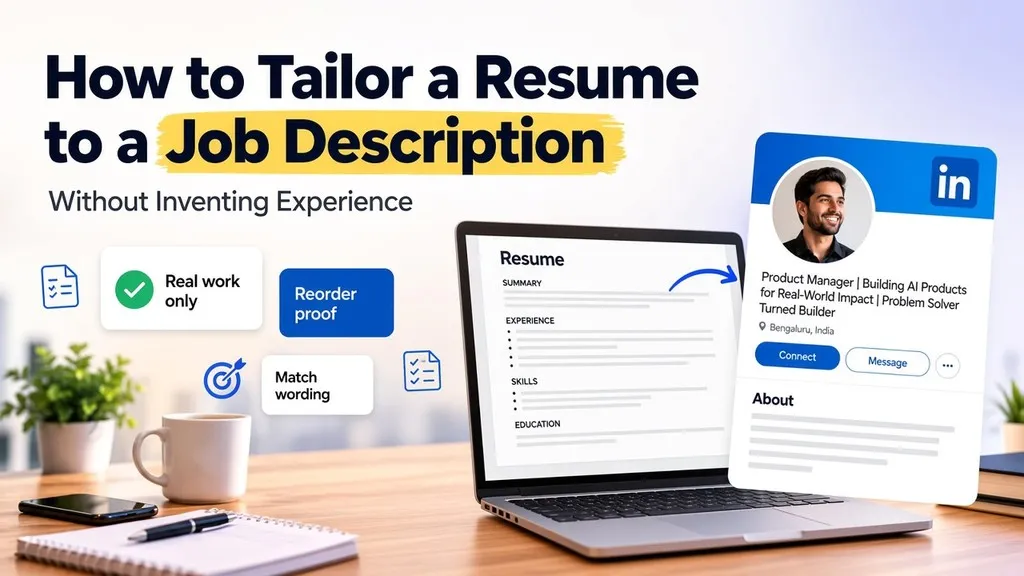
You already have a resume, and you have one posting in front of you. Learning how to tailor a resume to a job description means changing the wording and the order on that resume so this posting’s priorities show up first. You do not add jobs, tools, or employers you never had. Pull what the posting repeats, rewrite only lines that match work you did, and leave real gaps as gaps.
How to tailor a resume to a job description: wording and order, not new jobs
Use one posting and the resume you already send. Read the posting for duties and tools it repeats. Then change two things: the words on true lines, and the order of those lines. You are translating work you did into this posting’s language. You are not building a new work history.
Opened guides from Huntr and Tailor My Job describe that kind of manual pass: take what the posting emphasizes, then adjust the summary, the bullets, and the skills. The Manyoffer guide is a wording walkthrough in the same family. Use the guide. Do not leave it for a separate matcher, and do not treat a product number as the point of the edit.
A short sequence is enough:
Read one posting and mark the lines it repeats.
Find that same work on your existing resume.
Change wording and order only where the work is real.
Pull the posting’s repeated priorities first
Do not edit a bullet until you know what this posting keeps saying. Read the responsibilities, the requirements, and the skills list. Write down the duties and tools that show up more than once. That short list is the priority list for this application only.
Paste the posting into Alignlie’s JD skill extractor if you want a first list of skills and priorities. Then return to the resume. The list is a reading aid. You still decide which lines are real work, and you still rewrite those lines yourself.
Illustrative priority list (not a real posting): a coordinator role repeats “weekly stakeholder updates,” “onboarding new analysts,” and “maintaining the reporting calendar.” It mentions “passion for data” once, inside a culture sentence. The repeated duties go on your list. The one-off culture line does not.
The Huntr and Tailor My Job guides are useful here as a reminder to extract before you rewrite. They are not a license to copy every noun from the posting.
Repeated lines versus one-off words
Repeated responsibilities and tools are the priorities. A word that appears once is not an order to paste it into every bullet. The without-stuffing guide is worth citing for that limit only: tailoring is not a pile of terms. Do not take a density target or a numeric grading method from that page. You do not need either.
On the illustrative coordinator posting, “stakeholder updates” and “onboarding” earn a place if you did that work. “Passion for data” does not earn a stuffed line. If you never wrote stakeholder updates, the repeated phrase still stays off the resume. Repetition tells you what the posting cares about. It does not create experience.
Tailor your resume to a job description only for work you did
If you did the work, you may use the posting’s phrasing. If you did not, the line stays off the resume. A nearby synonym does not fix a missing tool. “Familiar with dashboards” is not a stand-in for a product you have never opened.
Tailor My Job and the Manyoffer guide sit in this extract-then-edit family. Use them as wording references for work that is already true. They do not make an unsupported keyword safe to add.
Illustrative gap, left as a gap: the posting lists Tableau. You have never used Tableau. You do not add Tableau, and you do not add a softer label that only gestures at it. The requirement remains a gap.
Summary, bullets, and skills as translation
Translation happens in three blocks you already have: the summary, the bullets, and the skills list. You are not writing a new career story. Same employers, same tools, same duties. Only the words and the emphasis move. Huntr, Tailor My Job, and the Manyoffer guide all point at those three blocks.
Here is an illustrative before and after. The facts do not change.
Bullet, before: “Wrote weekly reports for managers and trained two new teammates.”
Bullet, after: “Wrote weekly stakeholder updates for managers and onboarded two new analysts.”
Skills, before: “Reporting, training, spreadsheets.”
Skills, after: “Stakeholder reporting, onboarding, spreadsheets.”
The reports and the two teammates were already true. The posting’s words name that same work. No new employer and no new tool. Tableau is still absent, because it was never your work. A one-line summary can move the same way: lead with stakeholder updates and onboarding if that is the work you actually did, and do not add a tool to make the sentence look complete.
Tailor resume to job description by reordering proof
After the words are honest, move the proof. Put the bullets and skills that match the repeated priorities above older or less relevant lines. Someone skimming the top of a section should see the overlap first.
Huntr and Tailor My Job both treat the edit as more than a single sentence swap: material you already have can move up. Moving a bullet is not a new job. Do not add roles, retitle a job into something you did not hold, or sketch a career-change plan on this pass. If the best proof sits in an older role, that older bullet can lead. The dates and the employer stay as they were.
Leave gaps as gaps
A requirement you do not have is still a requirement you do not have. Renaming it does not close it. On the illustrative posting, Tableau stays off the page. This page will not tell you to apply or to skip the job. You only owe the resume an honest file.
Tailor My Job frames the edit as work you can actually support. The without-stuffing guide is the reminder not to paper over a hole with extra terms. Neither source is a reason to invent a tool, and nothing here grades the gap for you.
What this page will not do
This page stops at honest wording and order for one posting. It will not do the neighboring jobs:
It will not teach you to grade a resume with a number, and it will not walk through a grading product.
It will not stop after a full knockout-versus-boilerplate sort. You still rewrite after you pull priorities.
It will not teach achievement-versus-duty bullets, a bank of interview stories, or a career-change roadmap.
It will not diagnose why an application was rejected, and it will not hand you a list of roles to target.
The Pika JD tailoring page was opened with the other sources. It is a product flow, not the method here. Do not treat it as a step, and do not leave this page to run a matcher. The without-stuffing guide stays in the draft only as a limit on piling up terms, not as a grading lesson.
FAQ
Do I tailor once and send that resume everywhere?
No. One posting, one pass. A second posting gets its own wording and its own order. The priority list from the first posting is not the priority list for the next one.
Can I add a tool from the job description if I have not used it?
No. Unsupported tools stay off the resume. Leave the gap. A nearby synonym is still an unsupported tool.
Should I delete every bullet the posting does not mention?
No. Keep true work that still belongs on the resume. Reorder so the posting’s priorities lead. Cut a true line only when you need the space, not because the posting is silent about it.
Conclusion: Translate real work, then stop
How to tailor a resume to a job description, in practice, is a short honest pass. Pull the repeated priorities from one posting. Translate only work you did into that posting’s words. Move that proof up. Leave every real gap as a gap. Then stop. The file should still be a record of work you did.
Keep reading
Recent posts

How to Get a Job With No Experience (Proof Pieces + Where to Apply)
4 Oct 2026

How to Negotiate First Salary Offer (Scripts + Levers for New Grads)
4 Oct 2026

LinkedIn Headline and About From Resume: Formula, Consistency, Then Tools
2 Oct 2026

What a Good ATS Score Really Means (And Why Free Checkers Mislead)
1 Oct 2026