
Should Resume Be PDF or DOCX? Pick the File This Application Needs
Should resume be PDF or DOCX? Follow the employer's instruction, choose by portal or human reader when it is silent, then confirm your file has selectable text.
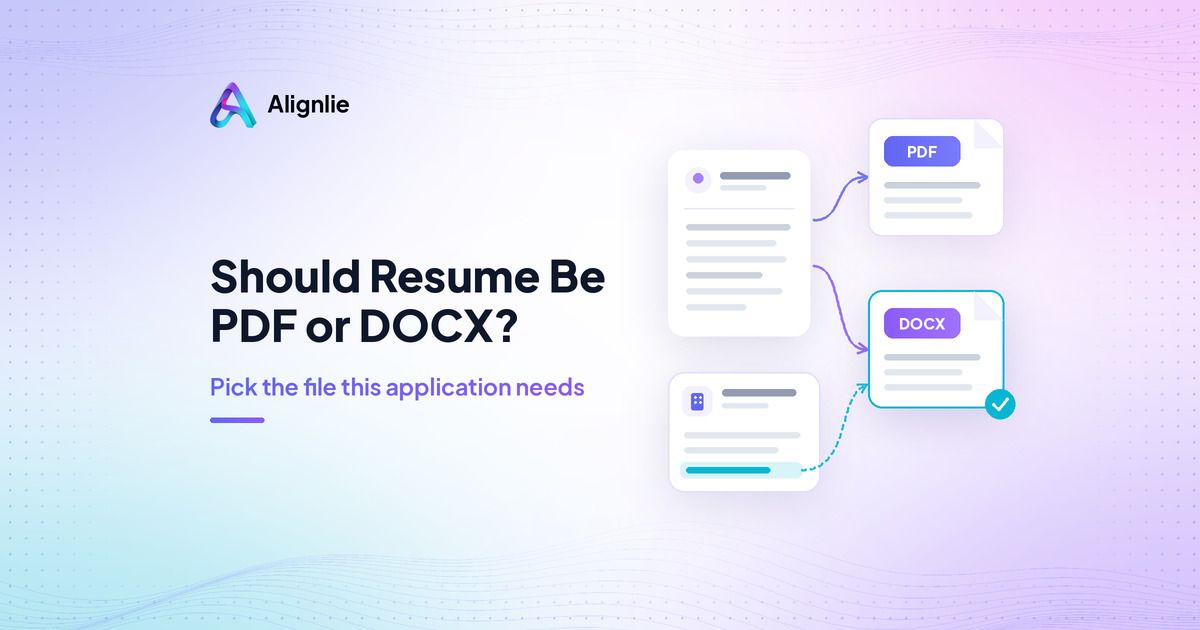
You have one application open and two files on your desktop. If you are asking should resume be PDF or DOCX, the first answer is usually in the job posting itself. When the posting says nothing, choose by who will open the file: an application portal or a person reading an email attachment. Then, before you send anything, confirm that the text in the file is selectable.
No single format always wins. The right file is the one this application needs, and the three steps below get you there.
Should resume be PDF or DOCX? Start with the employer’s instructions
Read the posting and the upload page before you think about defaults. Employers often tell you what they want:
If the posting asks for a PDF, send a PDF.
If it asks for a Word document or DOCX, send a DOCX.
If the upload field lists accepted file types, pick one from that list.
The best resume file format is the one the employer asks for. Following the instruction is never the wrong call, and ignoring it can make your application harder to handle.
Upload pages often show the accepted types right next to the button. As one real example, Greenhouse Support’s list of supported upload formats names .doc, .docx, .pdf, .rtf and .txt for candidate uploads. That is one vendor’s list, not a rule for every employer system, so check the page you are actually using. ApplyReadyCV’s file format guide also puts the employer’s instruction first.
When the posting says nothing: who will open the file?
Plenty of postings never mention a format. In that case, think about how the file will travel. Is it going into an application portal, or will a person open it from an email or a direct message? The pdf vs docx resume question has a different practical answer in each case, covered below.
Be aware that guides disagree on the default when the posting is silent. This page will not pretend there is a universal winner. It shows both views and gives you a cautious way to choose.
Uploading to an application portal
For portal uploads, the advice splits three ways:
The DOCX view. Vecosys’s PDF vs DOCX guide leans toward DOCX for a portal when the posting is silent.
The PDF view. HireFlow’s PDF vs DOCX article and a second PDF-leaning guide lean toward a clean, text-based PDF unless Word is requested.
The both-work view. ApplyReadyCV says either format works when the text is selectable.
None of these is primary evidence that one format wins in every portal, so treat them as opinions. A practical way through the docx or pdf for resume choice:
Use a type the upload field lists. If it lists only one, that settles it.
If both are listed and you are still unsure, a simple DOCX is the cautious choice some guides suggest, and a clean text PDF is what others suggest. Either is reasonable when the file is simple and the text is real.
Whichever you pick, run the selectable-text check below before you upload.
Emailing a person or sharing directly
When a hiring manager or recruiter will open the attachment themselves, a clean PDF is the common pick. Vecosys suggests PDF for direct sharing with a person, because a PDF keeps your layout the same on whatever device or app opens it.
There is one clear exception in the resume PDF or Word decision. If a recruiter asks for a Word file, send the DOCX. Some recruiters want to edit or reformat a resume before passing it on, and a PDF makes that harder. When someone tells you what they want, their request beats any default.
Keep both files ready
The easiest way to follow any instruction quickly is to have both files ready before you start applying.
Keep one master document that you edit.
Export a DOCX and a PDF from that same document each time you update it, so the two versions never drift apart.
Use plain file names with your name and the word resume.
Illustrative file names: “Jordan-Lee-Resume.docx” and “Jordan-Lee-Resume.pdf.” Avoid names like “final_v7_new.pdf” that tell the reader nothing.
Most portals take a single resume upload. Send one file per application unless the employer asks for both, so there is never a question about which version is current.
Selectable text: the last check before you send
The file extension matters less than what is inside the file. A PDF made from a scan or a phone photo is a picture of text, even though it ends in .pdf. Run this check on whichever file you plan to send:
Open the file.
Select and copy a few lines from the top section.
Paste them into a plain-text note.
Illustrative results: a good paste comes through as readable words, such as your name, a job title and a date range. A failed paste gives you nothing at all, or a jumble of symbols and broken spacing. If the paste fails, the file is probably an image or a scan. Go back to your master document and export it again instead of sending the scan.
Greenhouse Support lists image uploads among the reasons a resume fails to parse, and our separate guide explains how an ATS reads a resume.
FAQ
Is an older .doc file okay?
Greenhouse lists .doc as an accepted upload type, but that is one system. Follow the posting, and if it asks for Word, send the newer DOCX.
Should I ever send a plain .txt resume?
Only if the employer asks for one. ApplyReadyCV mentions plain text as a way to run a paste test, not as your main file. A .txt file drops all formatting, so keep it for that test.
Does the format change my chances?
There is no primary evidence that one format always wins. What you can control is following the employer’s instruction and making sure the text in your file is real and selectable.
Conclusion: Instruction, reader, selectable text
Follow the employer’s instruction first. If there is none, choose by who opens the file: a portal or a person. Then copy and paste a few lines to confirm the text is selectable, and send the one file this application needs.
Recent posts



Put this guide to work on a real job.
Paste a job description, add your resume, and see what’s covered before you rewrite.